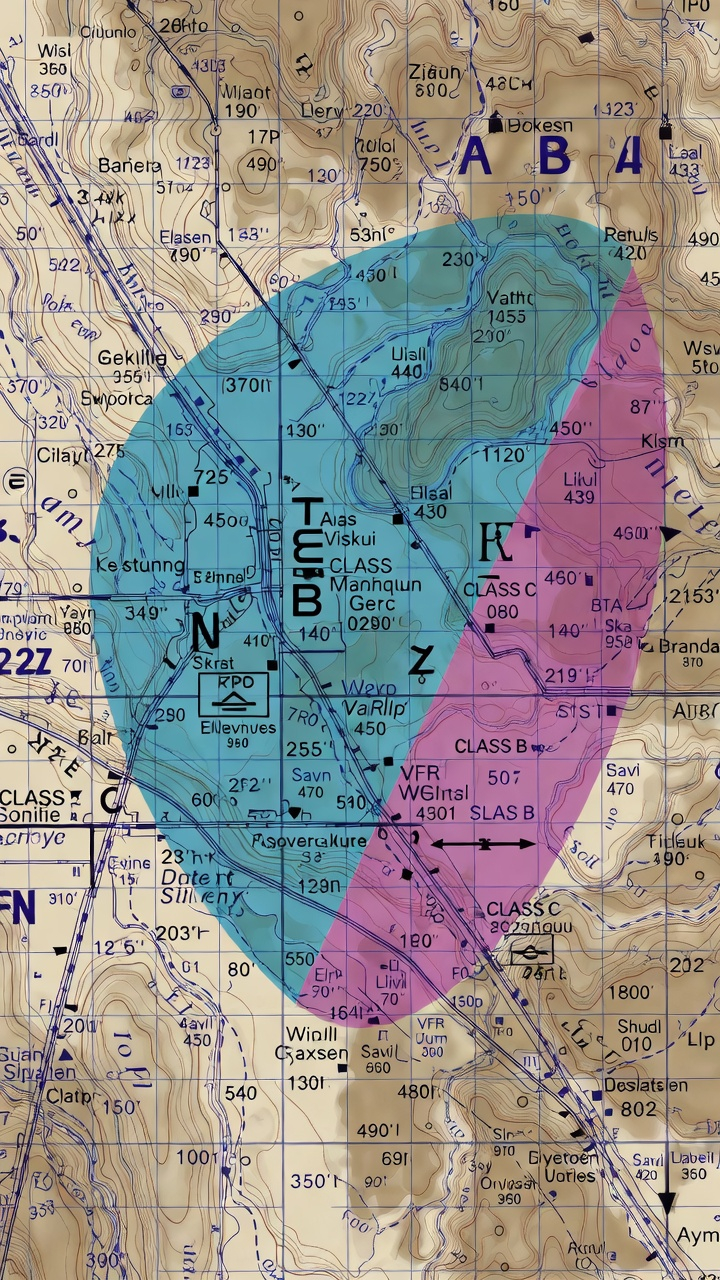
How to Read Sectional Charts for the FAA Part 107 Exam: A Complete 2026 Guide
Sectional charts are one of the most challenging topics for Part 107 exam candidates. Yet mastering how to read sectional charts is essential—the FAA exam includes 10-15% airspace questions, nearly all of which require sectional chart interpretation skills. If you can't confidently identify airspace classes, locate airports, and understand chart symbols, you're at risk of failing questions you could otherwise answer correctly.
This comprehensive guide breaks down everything you need to know about sectional charts for your Part 107 certification exam. By the end, you'll understand what sectional charts are, how to read their symbols and colors, navigate all six airspace classes, and apply your knowledge to exam-style questions.
What Are Sectional Charts and Why Do You Need Them?
A sectional chart (also called a sectional aeronautical chart) is a detailed map produced by the FAA that shows the airspace structure, topography, and aeronautical information for a specific geographic region of the United States. As a Part 107 remote pilot, sectional charts are your primary tool for understanding airspace restrictions, identifying airports, and making safe flight decisions.
The FAA publishes 20 sectional charts that together cover the continental United States at a scale of 1:500,000—one inch on the chart represents approximately 7 nautical miles. This scale allows for detailed information without overwhelming clutter.
Why sectional charts matter for Part 107:
- Airspace identification: Charts clearly delineate Class B, C, D, E, and G airspace with distinct colors and boundary markers
- Airport locations: You must identify airports, helipads, and landing facilities to know which airspace applies
- Altitude information: Sectional charts show terrain elevation and Class E floor heights—critical for altitude planning
- Special use airspace: Military operations areas (MOAs), restricted airspace, and temporary flight restrictions (TFRs) are marked
- Navigation aids: VORs, NDBs, and other radio aids help establish your position and understand airspace boundaries
- Weather and safety: Charts provide geographic context for weather interpretation and decision-making
Understanding Sectional Chart Colors and Boundaries
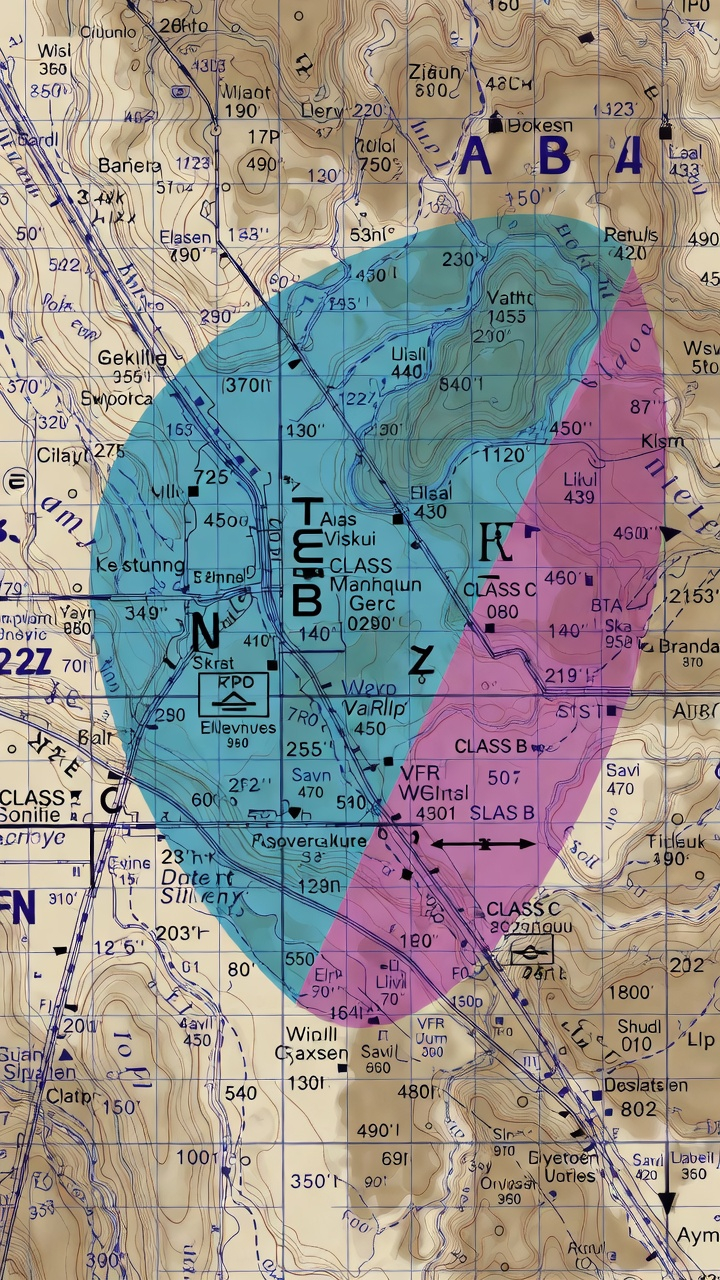
One of the first things you'll notice about a sectional chart is its vibrant colors. Each color represents a specific type of information, and understanding this color coding is fundamental to reading charts quickly and accurately on the exam.
Primary Chart Colors
Blue: Water features including lakes, rivers, and coastlines. Blue helps orient you geographically and identifies bodies of water that might affect weather and navigation.
Green: Forested areas and vegetation. Green helps you visualize terrain and understand the landscape below your drone.
Brown: Terrain elevation and contour lines. Brown shading becomes more prominent in mountainous regions and helps you identify elevation changes critical for flight planning.
Magenta (Pink/Purple): Class E airspace. Magenta dashed lines indicate the lateral boundaries of controlled airspace. Magenta box outlines around cities indicate Class E surface areas.
Blue Dashed Lines: Class D airspace around controlled airports. These lines show the lateral boundaries of Class D airspace, typically extending in a 4 or 5 nautical-mile radius around airports with air traffic control towers.
Blue Solid Lines: Class B airspace. Solid blue lines with altitude numbers indicate the complex stepped structure of Class B airspace around major airports like New York JFK or Los Angeles.
Red/Pink Shading: Class A airspace (18,000 feet and above). Since Part 107 drones are limited to 400 feet AGL, you won't operate in Class A, but understanding it helps with overall airspace literacy.
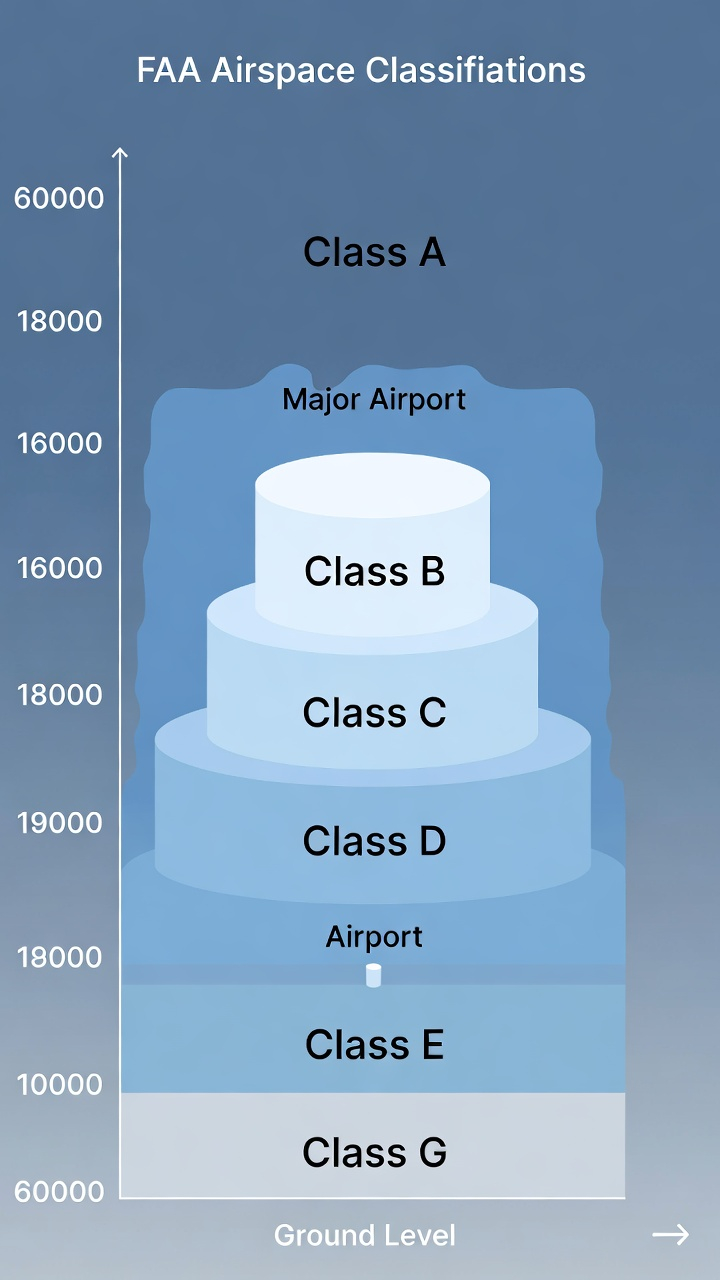
The FAA Airspace Classification System: Six Classes You Must Know
The FAA divides U.S. airspace into six classes: A, B, C, D, E, and G. As a Part 107 pilot, you must understand all six, but most of your flying will occur in Class G (uncontrolled) and Class E (controlled but uncontrolled below certain altitudes).
Class A Airspace: The High Altitude Zone
Altitude: 18,000 feet Mean Sea Level (MSL) and above
Control: Fully controlled airspace
Part 107 relevance: NONE. Your drone cannot operate this high, and Part 107 flight rules don't apply above 400 feet AGL.
On the sectional chart: Red shading indicates Class A airspace. You won't need to identify it for drone operations, but understanding the airspace hierarchy helps you interpret charts holistically.
Class B Airspace: Major Airport Control Zones
Altitude: Surface to 10,000 feet MSL (varies, typically around major airports)
Control: Controlled airspace with active air traffic control
Part 107 relevance: EXTREMELY HIGH. Flying in Class B without explicit authorization is a serious violation. Many Part 107 exam questions focus on Class B identification and restrictions.
On the sectional chart: Class B appears as solid blue lines with altitude numbers at transition points. The airspace has a distinctive "inverted wedding cake" structure—larger at altitude, narrower near the ground. Each step is labeled with altitudes showing the transition levels.
Example: Phoenix Sky Harbor International Airport has Class B airspace. On the sectional chart, you'd see solid blue circles expanding outward, with altitude designations like "100" (meaning 10,000 feet), "80" (8,000 feet), and "60" (6,000 feet) showing where the airspace transitions.
Part 107 implications: If you see Class B on your sectional chart, you cannot fly your drone in that airspace without a waiver or authorization from the FAA. Always contact ATC before planning operations anywhere near Class B.
Class C Airspace: Regional Airport Control Zones
Altitude: Surface to 4,000 feet AGL (typical)
Control: Controlled airspace with air traffic control
Part 107 relevance: VERY HIGH. Class C airspace surrounds regional airports and is more accessible than Class B, but still requires coordination with ATC.
On the sectional chart: Class C appears as solid magenta (pink) circles with two concentric rings showing the lateral boundaries. Inner ring (typically 5 NM radius) and outer ring (typically 10 NM radius) are clearly marked.
Key detail: Class C airspace has a floor altitude marked on the chart. Unlike Class B, Class C doesn't extend all the way to the surface everywhere—the floor might be 1,200 feet AGL in the inner core and 1,500 feet AGL in the outer ring.
Part 107 implications: You may be able to operate below Class C airspace without entering controlled airspace. However, you should still contact ATC for awareness and safety. Many drone pilots operate at 100-300 feet AGL beneath Class C arrival/departure corridors.
Class D Airspace: Controlled Airport Traffic Areas
Altitude: Surface to 2,500 feet AGL (typical)
Control: Controlled airspace with air traffic control tower
Part 107 relevance: HIGH. Class D surrounds many smaller airports with control towers, and you'll encounter it frequently in Part 107 operations.
On the sectional chart: Class D appears as blue dashed circles (not solid lines like Class B/C). The radius is typically 4-5 nautical miles from the airport reference point. An altitude floor is marked, usually "SFC" (surface) or occasionally higher.
Identifying Class D airports on the chart: Look for airport symbols with blue dashed circles around them. The airport will have a control tower symbol (a small tower icon) and the airport name labeled prominently.
Part 107 implications: You must contact Class D ATC before flying in that airspace. ATC will typically approve your operation if you're below 400 feet and away from runway approaches. Class D is more accessible than Class B/C because the airspace is smaller and activity is typically lower.
Class E Airspace: Controlled But Uncontrolled Below Floors
Altitude: Varies, but commonly 1,200 feet AGL to 18,000 feet MSL. Class E can have different floor altitudes in different areas.
Control: Controlled airspace, but control and communication not required at lower altitudes below the floor
Part 107 relevance: MODERATE TO HIGH. Class E is ubiquitous across the country. Understanding where Class E begins is critical for Part 107 operations.
On the sectional chart: Class E is indicated by magenta (pink) dashed lines and shading. Unlike Class B, C, and D, Class E doesn't extend to the surface everywhere. The chart shows the floor altitude clearly—for example, "1200" indicates Class E begins at 1,200 feet AGL in that area, meaning Class G exists below it.
Key concept - Class E floors: Most Class E areas have a floor of 1,200 feet AGL. However, near major airports and in specific areas, the floor might be different. Always check the chart carefully for floor altitude annotations.
Part 107 implications: Since you're limited to 400 feet AGL, you'll often operate in Class G airspace below the Class E floor. This is one of the safest airspace scenarios for Part 107 operations. However, you must verify the Class E floor altitude for your specific operating area on the sectional chart.
Class G Airspace: Uncontrolled Airspace
Altitude: Surface to the Class E floor (varies by location)
Control: Uncontrolled—no ATC involved
Part 107 relevance: EXTREMELY HIGH. Most of your Part 107 flying will occur in Class G airspace, and the exam heavily emphasizes understanding when you're in Class G versus controlled airspace.
On the sectional chart: Class G airspace is shown by the ABSENCE of colored boundary lines. If you're below the Class E floor (typically 1,200 feet AGL) and outside all Class A-D airspace, you're in Class G. There's no "Class G" label or shading on the chart—it's simply the uncontrolled areas.
Key point: Don't look for Class G markings on the chart. Instead, identify where Classes B, C, D, and E are, and everything else is Class G (up to the appropriate floor altitude).
Part 107 implications: Class G airspace is where Part 107 remote pilots have the most freedom. No ATC contact is required. However, you must still avoid manned aircraft, respect congested area restrictions, and follow all other Part 107 rules. Class G operations are still highly regulated—just not by ATC.
How to Identify Airports on Sectional Charts
Airports are central features on sectional charts because airspace classes are defined around them. You must be able to quickly identify airport symbols, determine if there's a control tower, and understand what airspace class applies.
Airport Symbols Explained
Filled circle (solid black dot): A public-use airport without a control tower. These typically have Class E airspace.
Open circle (hollow circle): A public-use airport WITH a control tower. These have Class D airspace (or Class B/C if it's a major airport).
Military symbol (star or special mark): Military airports. You must avoid these for Part 107 operations.
Helipad symbol (small H): Helicopter landing sites. These don't typically have extensive airspace restrictions for drones at low altitudes.
Seaplane base symbol (anchor): Water-based aircraft operations. These can have Class D airspace if they have a control tower.
Altitude information: Most airports show elevation (the altitude of the runway surface). This number appears next to or within the airport symbol and is critical for calculating clearance distances and understanding terrain.
Reading Airport Information Boxes
Major airports on sectional charts have information boxes (also called airport data blocks) that provide crucial details:
- Airport name
- Identifier (3 or 4 letters) – E.g., "PHX" for Phoenix Sky Harbor
- Elevation – Runway surface elevation in feet
- Runway information – Length and type (concrete, asphalt, grass, etc.)
- Control tower frequency – If applicable
- Fuel and services availability – Indicated by symbols
On the exam, you might be asked questions like: "An airport is shown with an open circle and a blue dashed boundary. What airspace class exists at that airport?" The answer: Class D airspace (indicated by the control tower symbol and blue dashed line).
Reading Altitude Numbers on Sectional Charts
Altitude information is scattered throughout sectional charts, and misreading altitudes is a common exam mistake. You must understand the different altitude notations and what they mean for your operations.
Types of Altitude Numbers on Charts
Class E floor altitudes: Numbers like "1200" or "1500" showing where Class E controlled airspace begins. These are marked with magenta shading and are typically in feet AGL (above ground level).
Class B/C altitude transitions: Numbers like "100," "80," "60," "40," etc., showing altitude steps in Class B and C airspace. These represent hundreds of feet MSL (mean sea level)—"100" means 10,000 feet MSL.
Terrain elevation: Numbers showing ground elevation, particularly in mountainous areas. Understanding terrain elevation helps you maintain safe clearance and plan altitude assignments.
Peak elevation symbols: Marked with the mountain symbol and an altitude number showing the height of significant terrain features.
AGL vs. MSL: A Critical Distinction
AGL (Above Ground Level): Altitude measured from the ground directly beneath you. This is what matters for Part 107 compliance. Your 400-foot altitude limit is 400 feet AGL.
MSL (Mean Sea Level): Altitude measured from sea level. This is what aviation instruments and many sectional chart notations use. A peak marked 8,000 feet MSL might only be 2,000 feet AGL if the surrounding ground elevation is 6,000 feet.
Exam tip: When you see altitude numbers on a sectional chart in the context of airspace (like Class E floors), they're typically AGL. When you see numbers near terrain features or Class B/C altitude steps, they're typically MSL. Always check for clarifying annotations.
Special Use Airspace and Temporary Flight Restrictions (TFRs)
Beyond the six standard airspace classes, sectional charts show special use airspace and areas where operations are restricted or prohibited. For Part 107, understanding these is essential.
Restricted Airspace
What it is: Airspace where operations are prohibited or restricted. Typically associated with military activities, weapons testing, or other hazardous operations.
How to identify it on the chart: Shown as a box outline (usually in red or magenta) with "R-" followed by a number, such as "R-4401." The box has a floor altitude and a ceiling altitude marked.
Part 107 implications: You cannot legally operate in restricted airspace without explicit authorization. Always check the chart for restricted areas before planning drone flights.
Military Operations Areas (MOAs)
What it is: Airspace reserved for military training flights. While not prohibited for civilian aircraft, MOAs have high-speed military traffic and should be avoided.
How to identify it on the chart: Shown as outlined boxes (usually in blue) with "MOA" and a name, such as "Nellis MOA."
Part 107 implications: Although you're technically allowed to operate in MOAs, doing so is dangerous and should be avoided. Check MOA activity schedules if you must operate in these areas.
Alert Areas
What it is: Airspace where unusual aerial activity occurs, such as intensive flight training or aerial acrobatics.
How to identify it on the chart: Marked with "A-" followed by a number, outlined in magenta.
Part 107 implications: Alert areas don't prohibit operations, but you should use extreme caution and be aware of the activity.
Temporary Flight Restrictions (TFRs)
What it is: Temporary airspace restrictions issued for specific events, emergencies, or security reasons. TFRs change frequently and aren't always marked on printed sectional charts.
How to check for TFRs: Before every flight, check the FAA's TFR information online at notam.faa.gov or through apps like B4UFLY (the FAA's Part 107 flight planning app).
Part 107 implications: TFR violations can result in serious penalties. TFRs might be issued around VIP motorcades, major sporting events, disaster scenes, or other sensitive areas. Always verify no active TFRs affect your planned flight area.
Navigation Aids and Other Sectional Chart Features
Sectional charts include numerous navigation aids and symbols beyond airspace and airports. While these aren't always tested heavily on the Part 107 exam, understanding them makes you a more informed pilot.
VOR (Very High Frequency Omnidirectional Range) Stations
Symbol: A compass rose symbol with "VOR" labeled.
Function: Navigation aid used by manned aircraft to determine their position and track courses. Drones don't typically use VOR, but they're marked on charts for geographic reference.
NDB (Non-Directional Beacon)
Symbol: A small square or diamond shape with "NDB" marked.
Function: Another navigation aid for manned aircraft. Less commonly used than VOR but still marked on charts.
Towers and Obstacles
Tall structure symbols: Small symbols representing tall towers, antennas, or buildings that might affect drone flight paths. These are important for obstacle clearance planning.
Prominent Landmarks
Marked features: Dams, stadiums, power plants, and other distinctive geographic features help you orient yourself on the chart and correlate it with the terrain you see below your drone.
Step-by-Step: Reading a Sectional Chart Scenario
Let's work through a realistic Part 107 exam scenario to practice your skills:
Scenario: You're planning a drone flight in an area approximately 8 nautical miles northwest of a mid-size airport. On the sectional chart, you see:
- The airport is marked with an open circle (indicating a control tower)
- A blue dashed circle extends 5 nautical miles from the airport
- Your planned operating area is outside this blue dashed circle
- Magenta dashed lines are shown with "1200" marked nearby
- No other airspace markings are visible in your area
Analysis:
1. The open circle indicates the airport has a control tower, so there's Class D airspace (indicated by the blue dashed circle).
2. Class D typically extends about 5 nautical miles from the airport, and since your location is 8 NM away, you're outside Class D.
3. The magenta dashed lines with "1200" indicate Class E airspace beginning at 1,200 feet AGL in this area.
4. Since your intended flight is at 300 feet AGL (well below 1,200 feet), you're in Class G airspace below the Class E floor.
Conclusion: You can operate your drone in Class G airspace without ATC contact, assuming no other restrictions (congested areas, TFRs, etc.) apply.
Common Part 107 Sectional Chart Exam Questions and How to Answer Them
Question Type 1: Airspace Identification
"A sectional chart shows a solid blue circle with altitude numbers 100, 80, 60, and 40. What is this airspace?"
Answer: This is Class B airspace. The solid blue lines and stepped altitude transitions are the distinctive features of Class B. The altitude numbers (100, 80, 60, 40) represent 10,000, 8,000, 6,000, and 4,000 feet MSL.
Question Type 2: Flying Below Controlled Airspace
"You want to fly 300 feet AGL in an area where Class E airspace is marked at 1,200 feet AGL. Are you in controlled or uncontrolled airspace?"
Answer: You're in Class G (uncontrolled) airspace. Since you're below the Class E floor (1,200 feet), you're technically below controlled airspace and operating in the uncontrolled Class G space.
Question Type 3: Airport Control Tower and Airspace Class
"A small airport is marked with an open circle and a blue dashed boundary. What airspace class is associated with this airport?"
Answer: Class D. The open circle indicates a control tower, and the blue dashed boundary is the distinctive symbol for Class D airspace (unlike the solid lines for Class B/C).
Question Type 4: Avoiding Restricted Airspace
"Your flight plan takes you through an area marked with a red box labeled 'R-4403' with a floor of 2,000 feet AGL. You plan to fly at 350 feet AGL. Can you operate in this area?"
Answer: Yes, you can operate below 2,000 feet AGL. Since your altitude (350 feet AGL) is below the restricted airspace floor (2,000 feet AGL), you're not entering the restricted zone. However, always verify the ceiling altitude and any other restrictions marked.
Practical Tips for Mastering Sectional Charts
Tip 1: Practice with real sectional charts. Download sectional charts for your area from the FAA or use online chart viewers. Practice identifying airspace classes, airports, and special use areas.
Tip 2: Color code the categories. Create a quick reference showing the colors and boundary styles for each airspace class. Memorize the associations: blue dashed = Class D, solid blue = Class B, solid magenta = Class C, magenta dashed = Class E.
Tip 3: Understand the "wedding cake" structure of Class B and C. Class B and C airspace doesn't extend to the surface everywhere. The stepped altitude transitions shown on the chart are crucial. Understand that you might be able to operate below certain parts of Class B/C airspace.
Tip 4: Always check for Class E floors. Don't assume Class E extends to the surface. Look for floor altitude numbers on the chart. Most areas have a 1,200-foot floor, but variations exist.
Tip 5: Use the FAATPM (Federal Aviation Administration Test Prep Materials) practice questions. Official practice questions give you the best sense of the types of sectional chart questions on the real exam.
Tip 6: Plan your approach to chart questions on the exam. When you encounter a sectional chart question on the Part 107 exam, take a moment to identify each airspace layer: First, note what's at the surface. Then, identify what controlled airspace exists above. Finally, determine where Class G exists. This systematic approach reduces errors.
Advanced: Understanding Sectional Chart Notation and Conventions
MSL vs. AGL Annotations: Be aware that different chart elements use different altitude references. Airspace floors are typically AGL; Class B/C altitude steps are typically MSL; terrain elevations are MSL.
Frequency Information: Control tower frequencies, ATIS, and ground frequencies appear on charts. While you won't need these for Part 107 operations, seeing them reinforces the role of the airport and its Class D airspace.
NOTAMs and Chart Amendments: Sectional charts are updated regularly, and additional information is distributed via NOTAMs (Notices to Airmen). These might indicate temporary closures, new restrictions, or other changes. Always check for current NOTAMs before your flight.
Final Exam Preparation Checklist
Use this checklist to ensure you're ready to handle sectional chart questions on your Part 107 exam:
- Airspace identification: Can you identify all six airspace classes by their color and boundary style on a chart?
- Class E floors: Do you understand how to read Class E floor altitudes and know when you're below controlled airspace?
- Class B structure: Can you interpret the stepped altitude transitions in Class B airspace?
- Airport symbols: Can you distinguish between airports with and without control towers?
- Special use airspace: Do you recognize restricted airspace, MOAs, and alert areas?
- AGL vs. MSL: Can you correctly interpret altitude numbers and convert between AGL and MSL when needed?
- TFRs: Do you know how to check for TFRs and understand their importance?
- Scenario analysis: Can you work through a multi-part scenario involving airspace, airports, and altitude planning?
Take Your Sectional Chart Skills to the Next Level
Mastering sectional charts is a significant step toward passing your Part 107 exam and becoming a truly competent drone pilot. The ability to read and interpret these detailed maps separates casual drone operators from licensed remote pilots who understand the airspace system and fly safely within it.
As you prepare for your exam, remember that sectional chart proficiency comes with practice. Each time you review a chart and work through scenarios, you're building the visual recognition and analytical skills needed to answer exam questions quickly and confidently.
Ready to test your knowledge and build confidence before the real exam? Flycensed offers comprehensive Part 107 practice tests with detailed explanations for every question. Our sectional chart questions are designed to match the exact difficulty and question types you'll encounter on the FAA exam. Practice with hundreds of questions, track your progress, and identify weak areas so you can focus your study time effectively.
Take a Free Flycensed Practice Test Today and experience the difference that high-quality, exam-focused preparation makes. Your Part 107 certificate awaits.
Sectional chart mastery doesn't happen by accident—it requires structured study and repeated practice. The Part 107 Complete Study Guide ($14.99) includes dedicated chapters on chart symbols, airspace identification, and real-world interpretation scenarios that mirror what you'll face on exam day. Get instant access here and study at your own pace across all 20 comprehensive chapters.
Want to start free? Download the Flycensed iOS app and practice with 485+ scenario questions that test your sectional chart reading skills in realistic contexts. Download now to build confidence before your exam.
Study and flight-bag gear
Affiliate links — we may earn a commission from purchases at no extra cost to you. We only list gear we would actually put on a job.
- ASA Tri-Fold VFR Kneeboard (KB-3-A) — Three panels — chart excerpt, frequencies and notes without reshuffling.
- Scotch Laminating Pouches, letter, 5 mil (100) — 5 mil is stiff enough to hold its shape on a kneeboard.
- Rite in the Rain Weatherproof Copier Paper (letter) — Print your own checklists and they survive dew, sweat and a dropped water bottle.