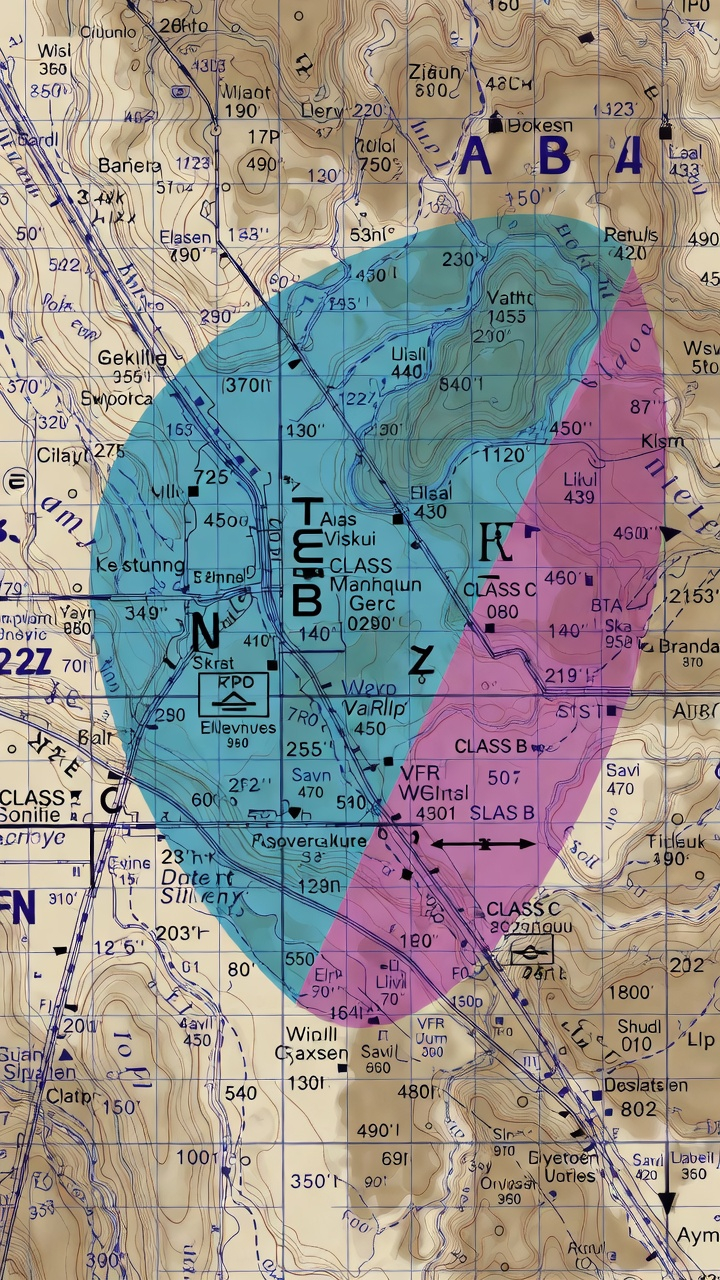
How to Read Sectional Charts for the Part 107 Exam: Visual Guide
Ask any Part 107 exam instructor what topic causes the most unnecessary failures, and sectional charts will be near the top of every list. Not because the charts are impossibly complex — they're not — but because most candidates try to memorize symbols without understanding the underlying logic. Once you understand what each element is communicating and why, sectional charts become intuitive rather than intimidating.
This guide walks you through every major sectional chart concept you'll encounter on the Part 107 exam, with the specific focus on what actually appears in test questions. If you're pressed for time, jump to the "5 Things You Must Identify" section — it covers the highest-yield material. But if you want to genuinely understand charts rather than just survive the exam, read through everything.
Why Sectional Charts Are on the Part 107 Exam
The FAA Part 107 exam dedicates roughly 10 to 15 percent of its 60 questions to airspace-related content, and most of those questions require reading a sectional chart excerpt. The FAA doesn't test chart reading to be cruel — it tests it because knowing where you can and cannot fly is the most fundamental safety requirement for any drone pilot operating in the national airspace system.
As a remote pilot, you share airspace with manned aircraft. Manned pilots use sectional charts as their primary navigation and airspace reference. When you read a sectional chart, you're reading the same document that the helicopter pilot, the Cessna student, and the airline crew all use. Understanding charts means understanding shared airspace — and that's exactly what the FAA wants to verify before handing you a commercial pilot certificate.
The good news: sectional chart questions on the Part 107 exam are predictable. The FAA draws from a finite pool of chart excerpts and a consistent set of symbol types. Master the core symbols, understand the color system, and learn to identify airspace class boundaries — and chart questions become among the more reliable point-scorers on the exam.
Key Airport Symbols: Towered vs. Non-Towered
Airports are the anchor points of a sectional chart. Everything else — airspace boundaries, communication frequencies, traffic patterns — radiates outward from airport symbols. Learning to instantly identify airport types is the first skill to develop.
Towered airports (blue): A towered airport has an operating air traffic control tower. On the sectional chart, towered airports appear in blue with a solid blue airport symbol. The blue color is your visual cue that active ATC is present and airspace around this airport is Class B, C, or D — all of which require authorization before a Part 107 drone can operate.
Non-towered airports (magenta): A non-towered airport has no operating ATC tower. These appear in magenta on the chart. Non-towered airports typically sit within Class E or Class G airspace. While they may seem less restrictive, you still need to understand what airspace they sit in — Class E still requires authorization in many scenarios.
Key exam insight: The color of the airport symbol (blue vs. magenta) directly tells you whether ATC is present, which directly tells you what airspace class surrounds the airport. This single visual cue unlocks your ability to answer a large category of airspace questions correctly.
Airport data block: Next to each airport symbol, you'll find a data block showing the airport name, elevation in feet MSL, and additional operational information. The traffic pattern altitude (TPA) and available services may also appear. For drone exam purposes, focus on identifying the airport name and its position relative to airspace boundaries.
Airspace Classes A Through G: What You Must Know
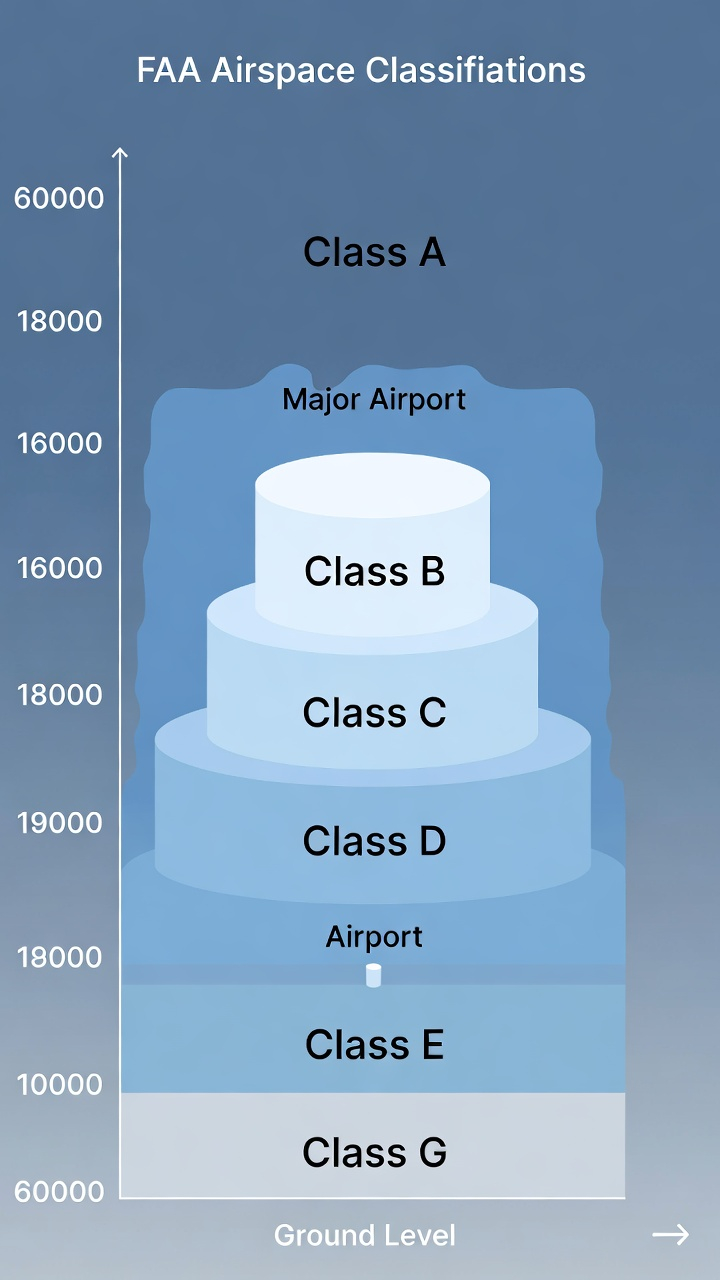
The FAA divides US airspace into six classes. As a Part 107 drone pilot, you operate at altitudes where Classes B, C, D, E, and G are all relevant. Class A (above 18,000 feet MSL) is irrelevant to drone operations given the 400-foot AGL ceiling.
Class B — Major airports (solid blue lines): Surrounds the nation's busiest airports — think LAX, JFK, Chicago O'Hare, Atlanta Hartsfield. Class B airspace looks like an inverted wedding cake on a chart: concentric rings of solid blue lines, each labeled with a floor and ceiling altitude (written as a fraction, like 100/SFC meaning 10,000 feet to the surface). Operating a drone in Class B without authorization is a serious violation. No Part 107 pilot may fly in Class B without explicit FAA authorization obtained through LAANC or a waiver.
Class C — Regional airports (solid magenta lines): Surrounds airports with a significant amount of commercial traffic but less than major hubs. Class C appears as two concentric solid magenta circles, each with altitude notations. The inner circle typically extends from the surface to 4,000 feet AGL, while the outer shelf runs from 1,200 feet AGL to 4,000 feet AGL. Like Class B, drone operations in Class C require authorization.
Class D — Towered airports (dashed blue lines): Surrounds airports with an operating control tower. Class D appears as a dashed blue circle, usually extending 4 to 5 nautical miles from the airport. The ceiling is typically 2,500 feet AGL. Authorization is required for drone operations. Class D airspace often converts to Class E or G when the tower closes — check the chart for hours of operation listed in the airport data block.
Class E — Controlled airspace (magenta shading and dashed magenta lines): Class E is where things get nuanced, and where exam candidates most often get confused. Class E is controlled airspace, but it's controlled without the active ATC presence that B, C, and D have. It exists in several forms:
- Class E from the surface: Shown by a dashed magenta border. Drone operations require authorization.
- Class E from 700 feet AGL: Shown by a magenta vignette (gradient fade). Below 700 feet AGL in this area, the airspace is Class G and no authorization is required. At or above 700 feet, it's Class E and authorization is required.
- Class E from 1,200 feet AGL: Shown by a blue vignette. Below 1,200 feet is Class G in these areas.
Class G — Uncontrolled airspace (no shading): Class G is uncontrolled airspace. Part 107 pilots can operate in Class G below 400 feet AGL without any airspace authorization. This is where most recreational and commercial drone flights occur without needing a LAANC authorization. Class G exists from the surface up to the floor of whatever Class E is above it — which varies by location.
Color Coding Explained: Reading the Chart at a Glance
Sectional charts use a consistent color system. Once you internalize it, you can assess the airspace around any location in seconds.
Solid blue lines: Class B airspace boundaries. Altitude numbers appear at each step showing the floor and ceiling.
Solid magenta lines: Class C airspace boundaries. Two rings with altitude notations for inner core and outer shelf.
Dashed blue lines: Class D airspace boundaries. Usually a single circle around a towered airport.
Dashed magenta lines: Class E surface area — controlled airspace that starts at the ground around non-towered instrument airports.
Magenta vignette (shading that fades outward): Class E transition area beginning at 700 feet AGL. Inside the shaded zone, the airspace goes from Class G (surface to 700 feet) to Class E (700 feet and above).
Blue vignette: Class E beginning at 1,200 feet AGL — less common but appears around some areas.
Green shading: Terrain elevation contours and forested areas. Darker green means lower elevation, brown indicates higher terrain.
Blue (water features): Lakes, rivers, coastlines. Geographic orientation, not airspace-related.
Exam shortcut: When you see a Part 107 chart question, look at the colors first. Blue circle with solid lines? Class B — authorization required. Dashed blue circle? Class D — authorization required. Magenta vignette? Find the floor (700 feet AGL usually) and determine whether your planned altitude puts you in Class E or Class G.
MOAs, TFRs, and Special Use Airspace
Beyond the standard airspace classes, sectional charts mark several types of restricted and special use airspace that Part 107 pilots must recognize.
Military Operations Areas (MOAs): Magenta-bordered areas labeled with the MOA name and altitude limits. MOAs are used for military training activities including acrobatic maneuvers, formation flying, and simulated combat. Part 107 pilots can fly in a MOA when it's inactive, but must exercise extreme caution and check NOTAMs for active periods. Flying in an active MOA without coordination is both dangerous and potentially illegal.
Restricted Areas: Shown with a blue hatched border and labeled "R-" followed by a number (e.g., R-2508). These are areas where flight is prohibited or restricted due to hazardous military activities — weapons testing, artillery ranges, missile launch areas. Unless you have a specific authorization, Part 107 pilots may not fly in restricted areas during active hours. Check the chart legend for contact frequencies and hours of operation.
Warning Areas: Similar to restricted areas but located over international waters. Labeled "W-" with a number. Part 107 pilots rarely encounter these, but you should recognize the symbol.
Prohibited Areas: Labeled "P-" with a number. These are areas where flight is completely prohibited, typically around sensitive government facilities or the White House. No Part 107 authorization can be obtained to fly in a prohibited area.
Temporary Flight Restrictions (TFRs): TFRs don't appear on printed sectional charts because they're temporary — they're issued via NOTAM (Notice to Air Missions). However, the Part 107 exam expects you to know what TFRs are, why they're issued (VIP movements, emergency operations, sporting events, wildfires), and how to check for them before flight using the FAA's TFR website or a planning app like ForeFlight or AirMap.
The 5 Things You Must Identify on Any Sectional Chart Question
When a sectional chart excerpt appears on the Part 107 exam, work through these five checkpoints in order. This systematic approach prevents you from jumping to conclusions and missing a critical detail.
1. Find all airports in the excerpt. Airports anchor the airspace. Identify each airport symbol and note its color (blue = towered, magenta = non-towered). The airport's color tells you what airspace class is present and whether authorization is needed.
2. Identify the airspace class boundaries. Trace the lines around the area of interest. Solid blue? Class B. Solid magenta? Class C. Dashed blue? Class D. Dashed magenta? Class E surface. Magenta vignette? Class E starting at 700 feet. No boundaries? You're likely in Class G.
3. Read the altitude notations. Every Class B, C, and D boundary includes altitude information. Class B is labeled as ceiling/floor (e.g., 100/40 means 10,000 feet down to 4,000 feet). Class D is labeled with its ceiling (e.g., 25 means 2,500 feet AGL ceiling). Note these altitudes against the question's proposed flight altitude to determine whether authorization is required.
4. Check for special use airspace. Look for MOA outlines, restricted area borders, or any hatched/shaded regions that indicate limited or prohibited flight areas. Read the associated label to identify the type and look for altitude information.
5. Apply the Part 107 rules to the scenario. Once you've identified the airspace class and boundaries, apply the rule: Class G below 400 feet AGL — no authorization needed. Class B, C, D, or E surface area — authorization required. Class E above 700 feet AGL — only relevant if you're flying above 700 feet (most drone operations aren't). Special use airspace — check status and applicable restrictions.
This five-step process works on every sectional chart question on the exam. Pilots who skip steps — especially Step 3 (reading altitude notations) — frequently pick the wrong answer because they identify the airspace class correctly but miss a critical altitude detail that changes the answer.
Common Exam Traps and How to Avoid Them
After analyzing hundreds of Part 107 exam questions, certain patterns emerge. These are the traps that catch unprepared pilots:
Trap 1: Confusing Class E surface areas with Class G. A dashed magenta line around a non-towered airport indicates Class E from the surface — not Class G. Many candidates see "non-towered airport, no tower, no active ATC" and assume it's Class G. Wrong. The dashed magenta line means Class E starts at the ground, and authorization is required. Check the boundaries carefully.
Trap 2: Misreading Class B altitude notations. Class B altitude numbers use a specific format — ceiling over floor, both in hundreds of feet. "100/SFC" means 10,000 feet down to the surface. "80/30" means 8,000 feet down to 3,000 feet. If the question puts your drone at 350 feet AGL in an area labeled "80/40," you're NOT in Class B (the floor is 4,000 feet). Read altitude notations carefully before concluding authorization is required.
Trap 3: Ignoring the 700-foot Class E floor. The magenta vignette means Class E starts at 700 feet AGL. If the question asks about a flight at 300 feet AGL inside a magenta vignette zone, the airspace is actually Class G at that altitude — no authorization required. Candidates who see "magenta vignette" and reflexively select "authorization required" miss these questions.
Trap 4: Assuming MOA = prohibited. A MOA is not prohibited airspace — it's an area where you should exercise caution and check NOTAMs. Many pilots read "MOA" and immediately think "can't fly here." Part 107 pilots can fly in inactive MOAs. The exam tests whether you know the difference between a MOA (caution required) and a Restricted Area (prohibited during active hours).
Trap 5: Missing a second airport in the excerpt. Chart excerpts sometimes show two airports within a few miles of each other, with overlapping airspace. Candidates focus on the more prominent airport and miss the secondary one entirely. Always scan the full excerpt before answering.
How Flycensed Practice Tests Help with Chart Reading
Reading about sectional charts builds conceptual understanding. Practicing with chart-based questions builds the pattern recognition and speed you need on exam day, where you have two hours for 60 questions and cannot afford to spend ten minutes on a single chart.
Flycensed's practice question bank includes chart-based questions drawn from the same style and format as FAA exam questions. Working through these questions forces you to apply the five-step identification process under timed conditions — exactly the skill you need on exam day.
The Flycensed flashcard decks cover every major chart symbol, all six airspace classes, color coding conventions, and special use airspace types. The spaced repetition system ensures that concepts you find difficult appear more frequently until they become automatic. By the time you sit for the exam, you shouldn't be thinking through chart questions — you should be recognizing patterns instantly.
The decision chain scenarios in Flycensed are particularly useful for chart-heavy questions. These multi-step scenarios present a real-world situation — "You're planning a commercial shoot at this location, this chart excerpt shows the area, what do you need before you fly?" — and walk you through the decision process. This is exactly how the FAA structures its hardest airspace questions.
Sectional charts are a learnable skill, not an innate ability. Every professional drone pilot who struggled with charts on their first practice test eventually reached the point where reading them felt natural. That point comes faster with structured practice — and the Part 107 exam rewards pilots who put in that work with a noticeably easier experience on test day.
Study and flight-bag gear
Affiliate links — we may earn a commission from purchases at no extra cost to you. We only list gear we would actually put on a job.
- ASA Tri-Fold VFR Kneeboard (KB-3-A) — Three panels — chart excerpt, frequencies and notes without reshuffling.
- Scotch Laminating Pouches, letter, 5 mil (100) — 5 mil is stiff enough to hold its shape on a kneeboard.